

Studio Rentals at Dance.tech — Blacksburg, VA
A professional, welcoming space for movement, creativity, and community
Dance.tech offers studio rental opportunities for instructors, artists, and community members seeking a clean, well-maintained space for rehearsals, classes, and small group activities.
Our studios are designed for movement-based use and are maintained with the same care, organization, and attention to detail that defines our educational programs.
A Space Designed with Intention
Dance.tech studios are thoughtfully maintained to support safe, focused, and productive use.
Rental spaces are ideal for:
Dance rehearsals and private coaching
Fitness or movement-based classes
Small workshops or creative sessions
Community arts programming
We welcome renters who value respect for shared space and align with our commitment to professionalism.
Studio Features & Amenities
Depending on availability, rentals may include access to:
Spacious studios with professional flooring
Full-length mirrors
Sound systems with auxiliary or Bluetooth capability
Climate-controlled environment
On-site restrooms and common areas
All rental use is expected to respect the studio, equipment, and surrounding community.
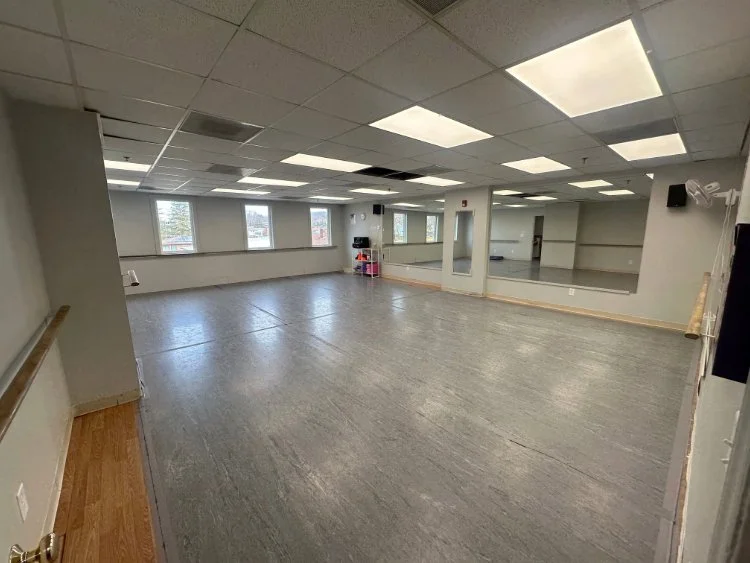
Studio A — 1,075 sq. ft. (Marley flooring)
$20/hour
Perfect for small group classes, technique training, and conditioning sessions.
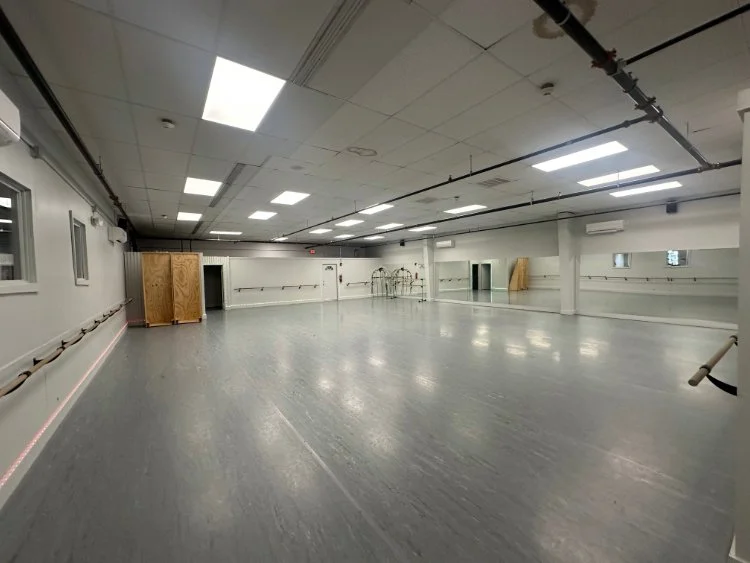
Studio B — 650 sq. ft. (Marley flooring)
$15/hour
A great mid-size studio for private lessons, small group rehearsals, or practice sessions.
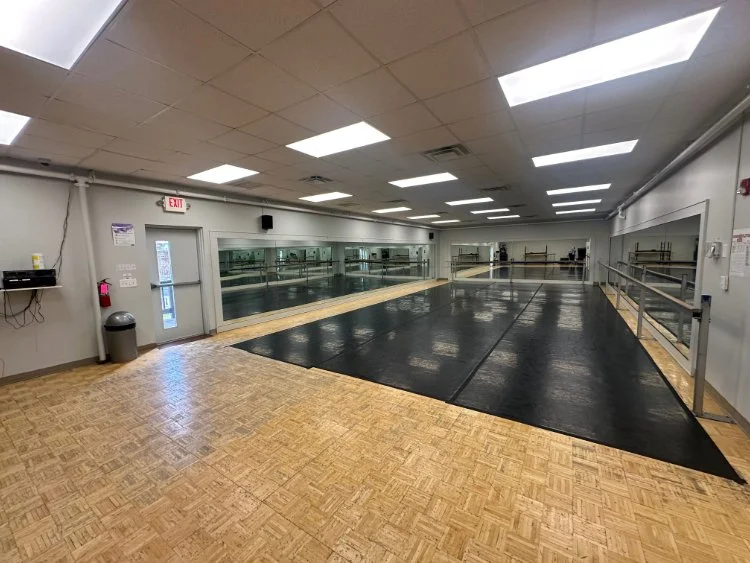
Studio B+ — 1,900 sq. ft. (Marley flooring)
$30/hour
A large, versatile space ideal for group rehearsals, choreography, fitness classes, and workshops.
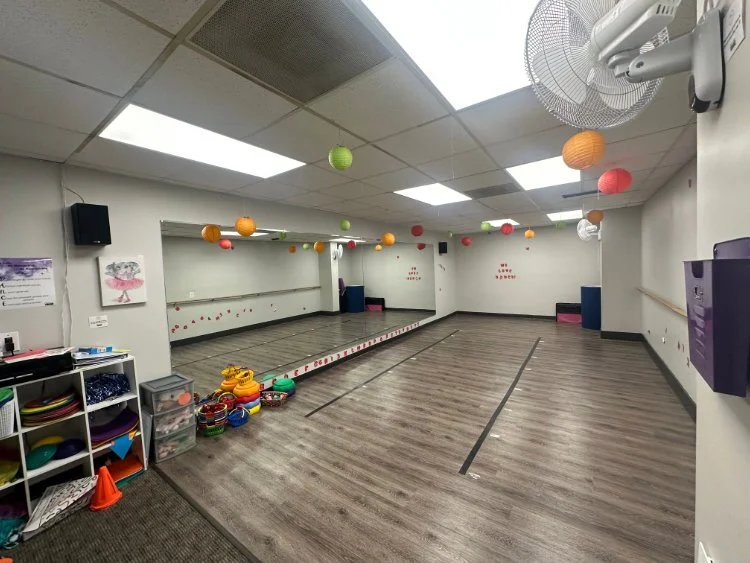
Studio C — 365 sq. ft. (Laminate flooring)
$10/hour
Great for stretching, solo practice, private coaching, and low-impact movement classes.
Rental Expectations
To ensure a positive experience for all users, Dance.tech studio rentals follow clear guidelines:
Rentals are intended for movement-based activities
Spaces must be left clean and orderly after use
Music volume should remain appropriate for a shared facility
All participants must follow studio safety guidelines
Specific policies, availability, and rates are provided upon inquiry.
Spaces available:
Our building features 4 studios of varying sizes, available to rent out for a variety of needs! Each studio comes equipped with professional speakers that can be connected via Bluetooth or Aux-cord, ballet barres, and mirrors. Renters are welcome to utilize our provided yoga blocks, mats, and light exercise equipment to help them achieve their goals!
Studio B+ = $30/hour (1,900 sf, marley flooring)
Studio A = $20/hour (1,075 sf, marley flooring)
Studio B = $15/hour (650 sf, marley flooring)
Studio C = $10/hour (365 sf, laminate flooring)
Marley Floor Rentals:
Our double-sided (black or grey) marley flooring is available to rent! To learn more about the rental process for marley, please email us at info@dance-tech.com
Available marley:
820 sf, 3 reversible rolls, $150/event
Payment Methods:
Payments are all run directly through our online Jackrabbit account management system. Please be sure to include a card-on-file at the time of registration1
Studio Agreements:
Our studio policies and guidlines can be found here:
How to utilize our booking system:
Create a Jackrabbit Account
From the Dashboard, access Appointments in the Parent Portal in two ways:
In the Looking for activities? section, select the Browse button > Appointments.
From the Activities menu option, select the Find Appointments tab
Choose an Appointment Type from the list to open the Book Appointment page and view more details.
Choose an Appointment Date from the calendar. Only dates with available time slots will be active.
After choosing an Appointment Date, select a time from the Available Times drop-down. If no suitable time slot is available, try selecting a different date.
For a single appointment, simply select the date and time, add a comment in Step 9, and then complete the process by booking the appointment.
Optionally, if recurring appointments are available, select the Make Recurring button below the Available Times. This allows you to book multiple time slots for an appointment at one time. Based on your selections, a list of recurring options will display, including any conflicts and their reasons. You can remove or adjust as needed.
Scroll to the top of the Book Appointment page and select Book to finalize your appointments